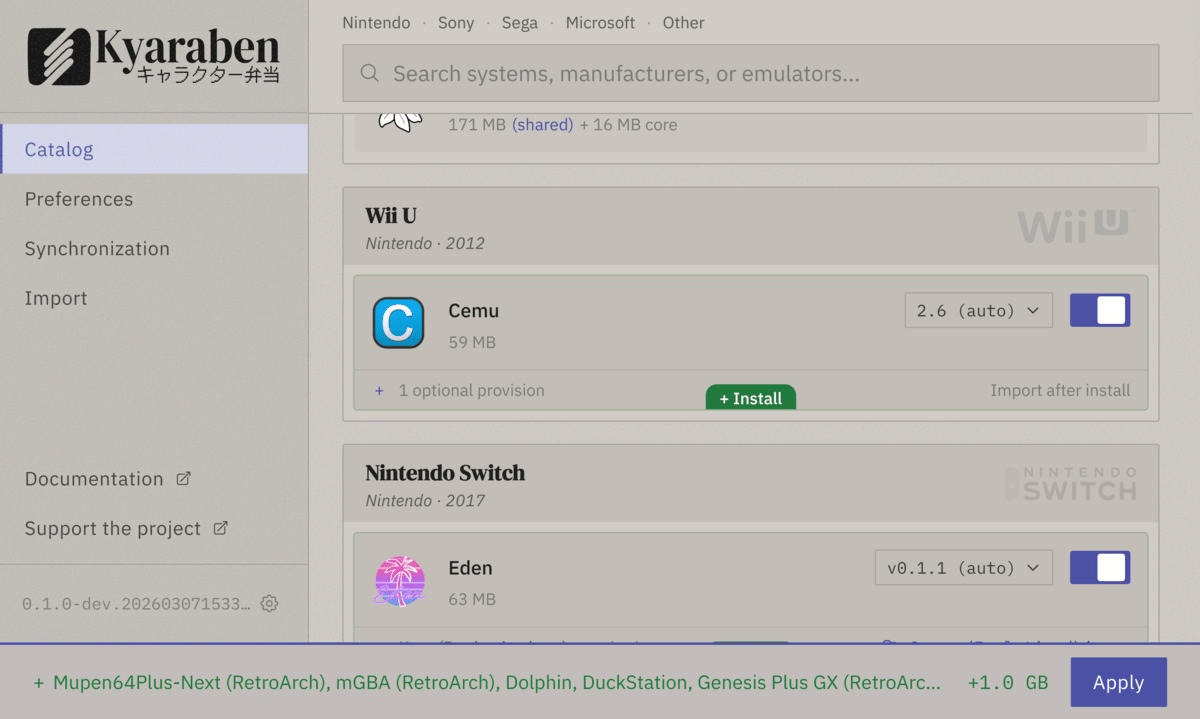

How it works
Section titled “How it works”- Download the AppImage and run it
- Select the systems you want to emulate
- Click apply
- Drop your ROMs into the created folders
- Launch EmulationStation DE from Steam to browse and play
- Enable sync, pair with a 6-digit code, and your collection and saves follow you across devices
Emulators are downloaded as self-contained AppImages and Syncthing is configured automatically, so no Flatpak, system packages, or manual setup is needed. On Steam Deck, sync works in Game Mode. Download Kyaraben or see the guides to get started.
Supported systems and devices
Section titled “Supported systems and devices”Kyaraben supports consoles from Atari 2600 through PlayStation 3 and Nintendo Switch. See the emulator support table for the full list of systems and emulators.
Kyaraben runs on any x86_64 Linux distribution, including SteamOS on the Steam Deck. ARM64 is experimental and untested; help welcome. NextUI handhelds sync as guest devices, with more guest app integrations planned.
Configuration visibility
Section titled “Configuration visibility”Kyaraben manages specific config keys in emulator config files and shows diffs before each apply. You see exactly what Kyaraben writes, which keys it controls, and what changes across updates.
See app reference for details.